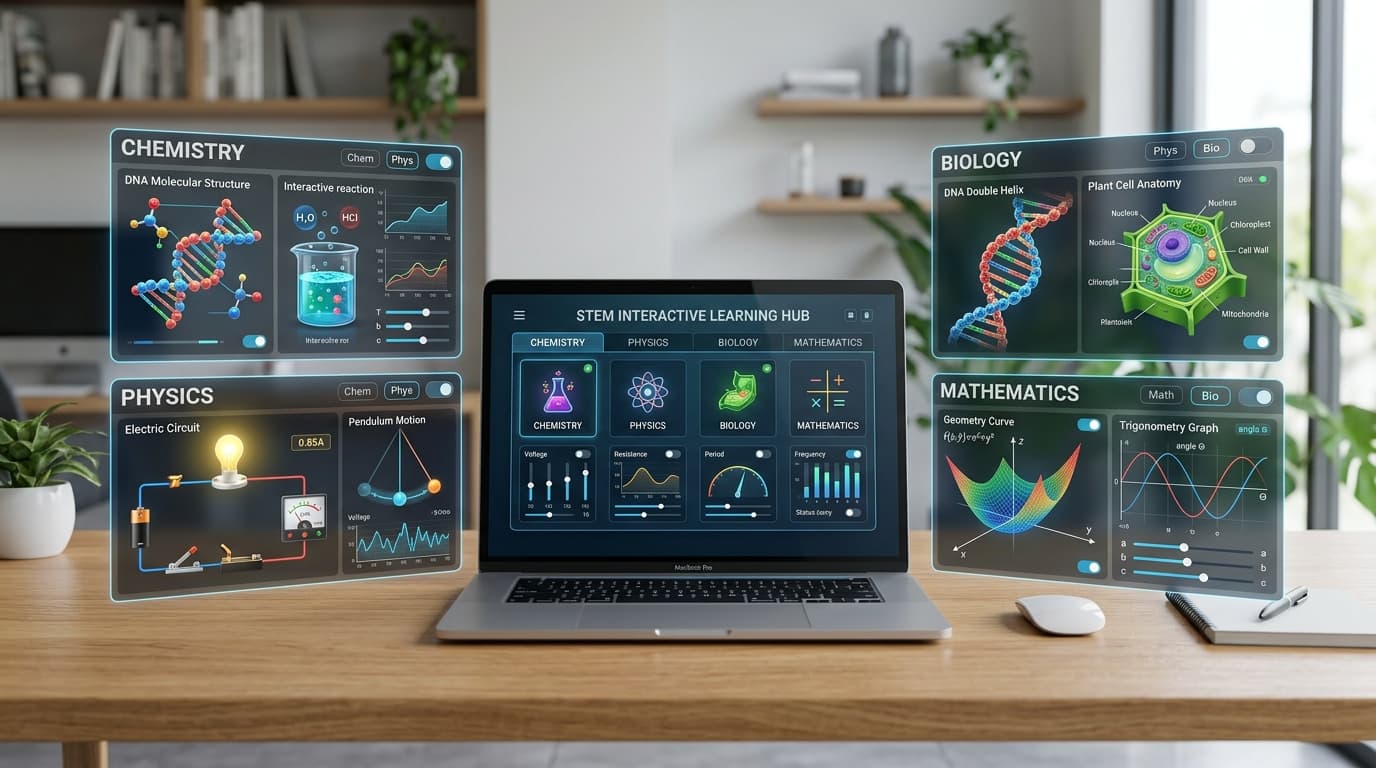
How to Create Interactive Educational Simulations Using AI: The Complete Guide
Why Interactive Simulations Matter in Modern Education
Traditional education often struggles with a fundamental limitation: abstract concepts are hard to visualize, physical laboratory equipment is expensive or fragile, and passive lectures struggle to keep students deeply engaged.
When students only read textbook definitions or observe static 2D diagrams, learning remains passive. In contrast, interactive simulations turn the classroom into an active laboratory of discovery.
The "Flight Simulator" Principle: Safe Practice Before Going Live
Consider how the aviation and medical industries train professionals: pilots log hundreds of hours in flight simulators before ever flying a commercial aircraft, and surgeons practice on virtual anatomical models before entering an operating theatre.

The exact same pedagogy applies to school classrooms. By practicing with interactive simulations, students can:
- Test hypotheses and make mistakes without fear of failure or physical danger.
- Repeat an experiment 20 times in 5 minutes until they achieve deep conceptual intuition.
- Explore extreme edge cases (e.g., cranking voltage to 10,000V or changing Earth's gravitational constant) that would be impossible in a physical room.
Multi-Sensory Engagement: Sight, Sound, and Muscle Memory
Cognitive science shows that learning is strongest when multiple sensory pathways are stimulated simultaneously:
- 👁️ Visual Stimulation: Dynamic animations, color transitions, particle paths, and live chart generation.
- 👂 Auditory Stimulation: Audio tones that shift with frequency, voltage hums, reaction sounds, or instant quiz feedback chimes.
- 🖐️ Kinesthetic & Muscle Memory: Dragging sliders, clicking circuit switches, adjusting dials, and feeling the direct connection between user actions and real-time outcomes.
How Simulations Transform a Teacher's Classroom
For educators, simulations are not just student toys—they are powerful teaching accelerators:
- Zero Consumables & Zero Lab Prep Time: No need to purchase recurring chemicals, batteries, wires, or glassware.
- Effortless Differentiated Learning: Fast learners can experiment with advanced variables, while students needing extra time can replay the concept independently without feeling self-conscious.
- Instant Formative Diagnostics: The embedded quizzes provide immediate feedback, showing teachers exactly where conceptual misunderstandings lie in real time.
- Maximized Classroom Engagement: Gamification and interactive control naturally shift students from disengaged spectators into curious investigators.
The 10 Standards of a Classroom-Ready Simulation
Before generating a simulation, it is vital to know what makes an educational simulation genuinely effective. Based on rigorous pedagogical standards, every simulation should meet these 10 criteria (the Definition of Done):
- Self-Contained Single File: Stored entirely in a single
.htmlfile containing all HTML, CSS, and JavaScript inline. No external dependencies, CDNs, or installations. - 100% Offline Capability: Runs directly in any standard browser (Chrome, Safari, Edge, Firefox) on laptops, tablets, or phones without an active internet connection.
- True Interactivity: Features interactive controls (sliders, toggle switches, buttons, text inputs) that directly drive visual outputs.
- Curriculum Alignment: Mapped to a specific, named topic in the official school syllabus.
- Scientific Accuracy: Uses correct formulas, accurate units, and realistic behaviors across all input ranges (including edge cases).
- Bilingual Support (EN / FR): Features a visible toggle to switch between English and French instantly.
- 5-Part Information ("Info") Modal: Contains a popup explaining:
- Learning Objective: What concept the student is learning.
- How to Use: Clear breakdown of all buttons and sliders.
- Step-by-Step Instructions: Guided experiments for the student to try.
- What to Observe: Key visual phenomena to watch for.
- How to Interpret Results: The scientific explanation behind what happened.
- Embedded Self-Assessment Quiz: Includes 4 to 7 interactive questions with immediate feedback and answer explanations.
- Accessible & Responsive UI: Clean layout, readable typography, strong contrast, and mobile-friendly responsiveness.
- Standardized File Naming: Named systematically (e.g.,
physics_grade10_ohms_law.html).
Method 1: Creating Simulations with Google Gemini (Canvas Mode)
Google Gemini's Canvas Mode provides the most seamless environment for building educational simulations because it includes a built-in code execution and preview sandbox.
[Prompt in Gemini] ──▶ [Canvas Mode Generates HTML5] ──▶ [Live Interactive Preview] ──▶ [Direct Download .html]
Step-by-Step Workflow:
- Open Your Web Browser & Navigate to Gemini: Open any standard web browser on your computer (such as Google Chrome, Microsoft Edge, Mozilla Firefox, or Safari). In the address bar at the top, type or click https://gemini.google.com/ and press Enter.
- Sign In with a Google Account: You must have an active Google Account (such as your personal Gmail or school Google Workspace account) to access Google Gemini and its features. Click Sign in at the top right and log in.
- Start a Fresh Chat: Always start a new, clean conversation for each simulation by clicking "New chat" on the left sidebar to prevent mixing unrelated instructions.
- Switch to Canvas Mode: Click the
+(Add tools / Create) button in the prompt box and select Canvas Mode (or check that the Canvas workspace is active). Canvas Mode is the key feature that allows Gemini to generate, display, and preview interactive HTML5 applications side-by-side in real time rather than just plain text. - Submit Your Structured Prompt: Enter a detailed, structured prompt specifying the learning topic, inputs, visual scene, bilingual toggle, info panel, and self-assessment quiz (see the master prompt template below).
- Test in the Live Canvas Preview: Gemini Canvas will open a split-screen panel. On the right side, the interactive simulation runs immediately. You can click buttons, drag sliders, and test animations directly inside your browser.
- Iterate and Refine in the Chat: Prompt Gemini to fix any scientific inaccuracies, adjust formulas, or polish features:
- "Please add an Info modal with learning objectives, steps, and observations."
- "Add a bilingual English/French toggle that translates all text, labels, units, and quiz questions."
- "For Chemistry: show the balancing of chemical equation coefficients dynamically as the sliders move."
- "For Biology: allow students to click on cell organelles to view their functions."
- Download the HTML File: Click the Export / Download button in the Canvas toolbar to save the finished, single
.htmlfile directly to your downloads folder.
Method 2: Creating Simulations with ChatGPT, Claude, Grok, and Other AIs
Other leading AI assistants can also generate outstanding educational simulations when given structured prompts:
Unlike Google Gemini's dedicated Canvas preview sandbox, most standard AI chat interfaces output code inside a standard code block. To run and distribute these simulations, educators simply need to copy the code and save it as an .html file.
[Prompt AI Assistant] ──▶ [AI Generates Code Block] ──▶ [Copy Code] ──▶ [Paste in Notepad / Editor] ──▶ [Save as .html] ──▶ [Open in Browser]
Step-by-Step Workflow:
- Access Your Preferred AI: Open your browser and navigate to your AI of choice (e.g., ChatGPT, Claude, Grok, DeepSeek, or Copilot).
- Submit the Structured Prompt: Submit your detailed simulation prompt in the chat (see the prompt template below).
- Copy the Entire Code Block: The AI will output the full HTML, CSS, and JavaScript inside a single code block. Click the "Copy code" button at the top right of the code window.
- Open a Plain Text Editor:
- Windows: Open Notepad (or Notepad++, VS Code).
- macOS: Open TextEdit (Ensure it is in Plain Text mode by pressing
Cmd + Shift + T), or use VS Code. - Linux: Open Gedit, Kate, or VS Code.
- Paste the Code: Paste the entire copied code into the blank document.
- Save with the
.htmlExtension:- Go to File > Save As...
- Name your file:
serial_vs_parallel_transmission.html - Important Windows Tip: Change the "Save as type" dropdown from Text Documents (*.txt) to All Files (.). Otherwise, Windows may save it as
serial_vs_parallel_transmission.html.txt, which will not open as a webpage.
- Run Your Simulation: Locate your saved
.htmlfile and double-click it. It will instantly open in your default web browser and run 100% offline!
The Master Prompt Template for Educators
Copy and adapt this proven prompt template to generate your own simulations:
Create a self-contained HTML5 simulation demonstrating [TOPIC / CONCEPT, e.g., Ohm's Law and Circuit Resistance] using only HTML, CSS, and vanilla JavaScript (no external libraries or CDNs).

Requirements:
1. INTERACTION & VISUALS:
   - Provide interactive controls: [List controls, e.g., Voltage slider (1V-24V), Resistance slider (1Ω-1000Ω), On/Off Switch].
   - Provide real-time animated visuals: [e.g., Circuit diagram with glowing bulb whose brightness reflects current (I = V/R), ammeter readout, and electron flow animation].
   - Include controls: [Start/Run, Pause, Reset, Speed Control].

2. BILINGUAL SUPPORT:
   - Add an instant English / French toggle button (EN/FR) that translates all text, labels, units, Info modal, and quiz questions.

3. INFORMATION (INFO) MODAL:
   - Add an "Info / Guide" button opening a clean modal covering:
     a) Learning Objective
     b) How to Use the Controls
     c) Step-by-Step Suggested Experiments
     d) What to Observe
     e) How to Interpret Results

4. SELF-ASSESSMENT QUIZ:
   - Embed a 5-question multiple choice quiz with instant feedback and explanatory answers for both correct and incorrect choices.

5. DESIGN & OFFLINE:
   - Modern, responsive, clean aesthetic with high contrast and smooth animations.
   - Must be fully contained in a single HTML file and work offline.
Simulations Work for Every Subject in the Curriculum
While simulations are famous in science, they can be built for virtually every discipline in the curriculum:
- 🎭 Language Arts & Literature:
- Interactive Role-Playing & Dialogue Simulator: Branching conversation scenarios where students choose tone, grammar, and rhetoric to navigate historical debates or literary character encounters.
- Sentence Structure & Parts of Speech Engine: Drag-and-drop interactive sentence builders demonstrating grammatical tense, clauses, and syntax analysis.
- 🌍 Geography & Earth Science:
- Earthquake & Epicenter Visualizer: Interactive slider for Richter magnitude, displaying how P-waves and S-waves propagate across geological fault lines to seismograph stations.
- Volcanoes & Plate Tectonics: Interactive plate boundary collisions (convergent, divergent, transform) with magma viscosity and eruption animations.
- 📈 Economics & Commerce:
- Dynamic Supply and Demand Engine: Sliders for consumer income, production costs, and tax policy that visually shift demand/supply curves in real time, calculating price elasticity and equilibrium.
- Inflation & Interest Rates Simulator: Interactive macroeconomic dashboard showing how central bank interest rate decisions ripple into consumer borrowing, price indices, and employment.
- 🔬 Chemistry:
- Dynamic Acid-Base Titration: Interactive pH meter curve, burette drop speed, and color-changing indicator visual (Phenolphthalein/Methyl Orange).
- Molecular 3D Geometry & Balancing: Interactive 3D molecular representations of chemical reactions with real-time stoichiometric equation balancing.
- ⚡ Physics:
- Electric Circuits & Ohm's Law: Interactive resistors in series/parallel, battery voltage adjustments, and visual electron flow animations.
- Projectile Motion & Pendulums: Real-time physics engine calculating range, velocity, gravity, and energy exchange (Kinetic vs. Potential).
- 🧬 Biology:
- Plant & Animal Cell Explorer: Clickable organelle explorer (mitochondria, chloroplast, nucleus) with function details and zoom levels.
- DNA Replication & Genetic Inheritance: Interactive Punnett square generator and double-helix transcription visualizer.
- 📐 Mathematics:
- Trigonometric Functions & Unit Circle: Dynamic sine/cosine wave animation driven by an interactive rotating unit circle angle.
- 3D Surface Calculus & Geometry: Interactive sliders for quadratic and cubic polynomial equations with dynamic derivative tangent lines.
- 💻 Computer Science & ICT:
- Serial vs. Parallel Data Transmission: Visualizing bit packets moving across single vs. multi-channel buses with latency and throughput counters.
- Binary & Logic Gate Simulator: Interactive AND, OR, NOT, XOR gates with real-time truth table evaluation.
The Golden Rule: Teacher Verification & Scientific Accuracy
"A simulation that is visually engaging but scientifically incorrect is worse than no simulation at all."
While Generative AI is extraordinarily capable, it does not "think" like a scientist—it predicts code. Therefore, the teacher’s subject-matter expertise is essential. Every educator must thoroughly test and verify that the simulation’s behavior faithfully reflects real-world science across the entire range of every slider and switch:
-
Verify Reaction Colors and Visual Phenomena (Chemistry):
- If creating an Acid-Base Titration simulation using phenolphthalein, the liquid must remain clear in acidic/neutral pH and turn distinctly magenta/pink only when passing the equivalence point (pH > 8.2).
- If simulating the displacement of copper(II) sulfate by iron, the solution must visibly transition from blue to pale green while depositing reddish-brown copper on the nail.
- If the AI generates an incorrect color, temperature change, or precipitate state, prompt it immediately: "In chemistry, phenolphthalein is colorless below pH 8.2 and pink above. Fix the solution color transition to strictly reflect this."
-
Verify Physical Laws and Proportions (Physics):
- Test that mathematical relationships hold true at minimum, middle, and maximum values.
- For Ohm's Law ($I = \frac{V}{R}$), increasing the resistance slider to maximum must cause the ammeter reading and bulb brightness to decrease proportionally.
- For gravity or pendulum motion, ensure that increasing string length increases the period ($T = 2\pi\sqrt{\frac{L}{g}}$), and that mass does not incorrectly alter the oscillation period in ideal conditions.
-
Verify Biological Structures & Terminology (Biology):
- Ensure organelle shapes, chromosome numbers, and nucleotide base-pairings (A with T, C with G) adhere strictly to the curriculum.
- Confirm that labels use syllabus-approved terminology rather than generic colloquialisms.
-
Verify Boundary Conditions & Edge Cases:
- Move sliders to their absolute minimums (e.g., 0V or 0kg) and maximums. Does the simulation freeze, display
NaN/Infinity, or divide by zero? - If a bug occurs, ask Gemini or ChatGPT: "When resistance slider is set to 0, handle zero-division safely by capping the current to a safe maximum."
- Move sliders to their absolute minimums (e.g., 0V or 0kg) and maximums. Does the simulation freeze, display
Classroom Distribution & Next Steps
Once downloaded, these .html simulation files are lightweight (often under 50 KB) and can be shared effortlessly:
- USB Flash Drives: Copy simulations to school computers with no internet access.
- School Local Area Networks (LAN) & Solar Hubs: Host simulations locally so an entire computer lab can access them concurrently.
- Smartphones & Tablets: Send files over Bluetooth or WhatsApp; students can open them directly in mobile browsers.
By leveraging AI, educators can rapidly build rich digital science libraries tailored to their exact national curriculum and empower students with hands-on, exploratory learning.